
To clean a Dirt Devil vacuum cleaner, first, unplug the device and remove the canister or bag. Then, empty the debris, clean or replace the filters, and wipe down the surfaces with a damp cloth.
Finally, reassemble the vacuum and plug it back in for use. Cleaning your vacuum regularly will help maintain its performance and extend its lifespan. Keeping your home clean and dust-free is essential for a healthy living environment. A reliable vacuum cleaner, like the Dirt Devil, can do wonders in keeping your floors and carpets spotless.
However, over time, dirt, dust, and debris can accumulate inside the vacuum, affecting its performance. That’s why regular cleaning of your Dirt Devil vacuum cleaner is necessary. In this guide, we will walk you through step-by-step instructions on how to effectively clean your Dirt Devil vacuum cleaner, ensuring that it remains in top shape for years to come. So let’s get started and learn the proper way to keep your Dirt Devil vacuum cleaner clean and efficient.
Credit: vacuumspecialists.com
Understanding Your Dirt Devil Vacuum Cleaner
The key to keeping your Dirt Devil Vacuum Cleaner running efficiently is understanding its key components and functions. By familiarizing yourself with how your vacuum works, you can easily troubleshoot and prevent common issues caused by neglect. In this section, we will explore the key components of your Dirt Devil Vacuum Cleaner and discuss the functions they serve, as well as the common issues that may arise if not properly maintained.
Key Components And Functions
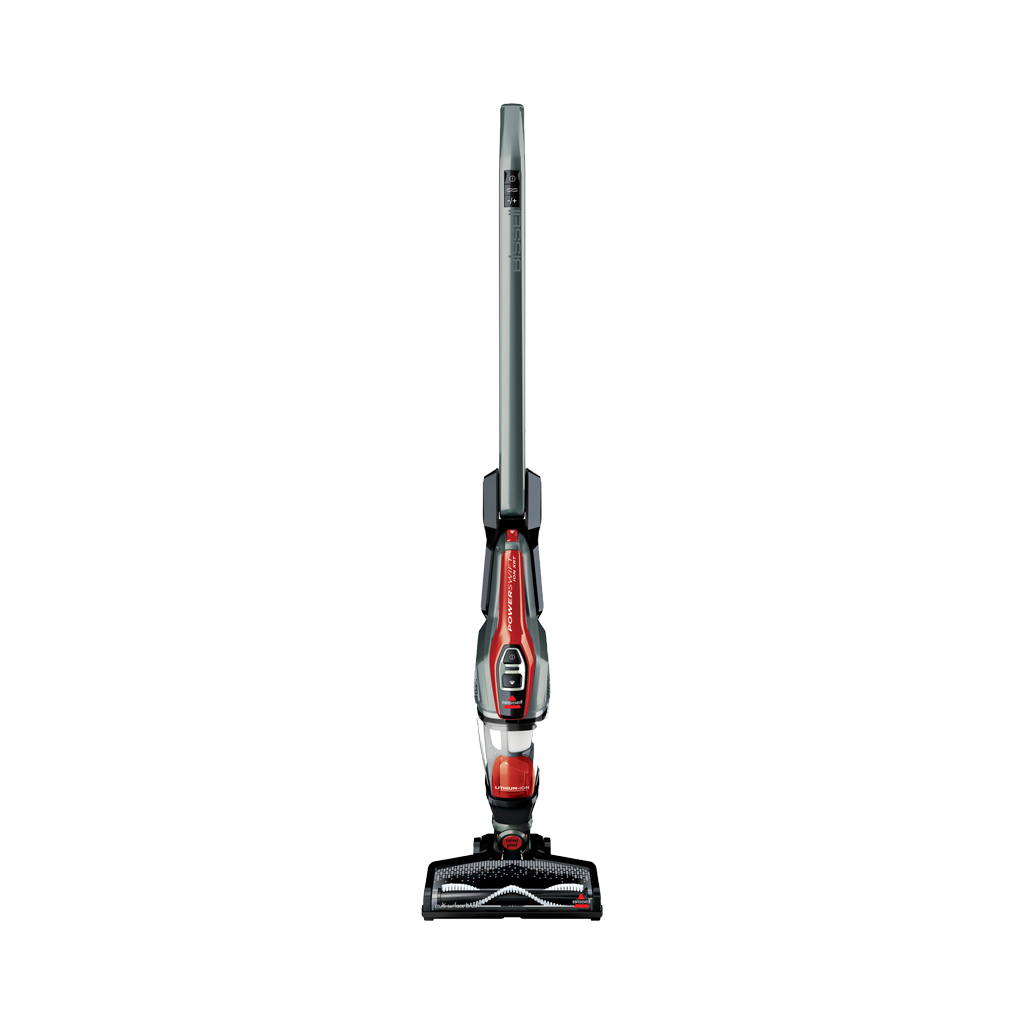
Your Dirt Devil Vacuum Cleaner is made up of several key components, each serving a specific function to ensure optimal performance.
1. Motor: This is the heart of your vacuum and is responsible for generating the suction power. The motor is typically located near the bottom of the vacuum and is connected to the power source.
2. Dirt Container: The dirt container is where all the dust and debris are collected during the vacuuming process. It is important to regularly empty and clean the dirt container to prevent clogs and maintain efficient suction.
3. Brush Roll: The brush roll, also known as the agitator or beater bar, consists of bristles that rotate to agitate and loosen dirt from carpets and rugs. It is crucial to regularly clean and inspect the brush roll for any tangled hair or debris that may hinder its performance.
4. Filters: Your Dirt Devil Vacuum Cleaner comes equipped with various filters to capture and trap dust particles. These filters, including the pre-motor filter and the post-motor filter, should be cleaned or replaced regularly to prevent blockages and maintain proper airflow.
Common Issues Caused By Neglect
Neglecting the maintenance of your Dirt Devil Vacuum Cleaner can result in a range of common issues that can hinder its performance. It is essential to be aware of these issues to address them promptly:
-
- Loss of Suction: One of the most common problems is a loss of suction power. This can occur when the dirt container is full, the filters are clogged, or there is a blockage in the hose or brush roll. Regularly cleaning and maintaining these components can help prevent this issue.
-
- Brush Roll Malfunction: If your vacuum’s brush roll stops rotating or becomes difficult to turn, it may be due to a tangled brush roll or a worn-out belt. Inspecting and cleaning the brush roll can resolve this issue. If the belt is damaged, it should be replaced.
-
- Foul Odor: A persistent foul odor can indicate that the filters or dirt container need cleaning. Regularly emptying the dirt container and cleaning or replacing the filters can help eliminate any unpleasant odors.
-
- Excessive Noise: Unusual or excessive noise during vacuuming can be a sign of a loose or damaged component. Inspect the vacuum for any loose parts and tighten or replace them as necessary.
- Power Issues: If your vacuum cleaner fails to turn on or experiences intermittent power loss, it may be due to a faulty power cord or a problem with the motor. Check the power cord for any damage and ensure it is securely connected. If the issue persists, professional assistance may be required.
Essential Tools For Cleaning
Looking for essential tools to clean your Dirt Devil vacuum cleaner? Check out our selection of top-quality vacuum cleaner accessories that will help you keep your machine in optimal condition, ensuring a thorough and efficient cleaning experience.
Recommended Cleaning Supplies
When it comes to effectively cleaning your Dirt Devil vacuum cleaner, having the right tools at your disposal is essential. With the proper cleaning supplies, you can ensure that your vacuum is free from dirt, dust, and debris, allowing it to maintain optimum performance. Here are some recommended cleaning supplies that you should have on hand:
- Microfiber Cloths: These soft and absorbent cloths are perfect for wiping down the exterior surfaces of your vacuum cleaner, removing fingerprints, smudges, and other marks.
- Cleaning Solution: Opt for a mild and non-abrasive cleaning solution or create your own using water and a gentle detergent. This will help in removing stubborn stains or dirt from the vacuum’s surfaces.
- Vacuum Brush: A small brush with soft bristles is ideal for cleaning the brush roll and removing tangled hair or fibers. Ensure the brush is compatible with your Dirt Devil model.
- Clean Water: Having clean water available is crucial for rinsing and cleaning various parts and attachments of the vacuum cleaner.
- Precision Screwdriver: This tool is handy for removing and replacing screws when cleaning hard-to-reach areas or disassembling specific components.
Precautions And Safety Measures
While cleaning your Dirt Devil vacuum cleaner, it is important to take a few precautions to ensure your safety and prevent any damage to the device. Here are some safety measures to keep in mind:
- Unplug the vacuum: Before starting the cleaning process, always make sure that your vacuum cleaner is unplugged from the power source to prevent any accidents.
- Work in a well-ventilated area: Cleaning your vacuum cleaner can generate dust particles and fumes, so it is important to work in a well-ventilated area to avoid inhaling any harmful substances.
- Handle with care: When cleaning the different parts and attachments, be gentle and avoid using excessive force to prevent any breakage or damage.
- Follow the manufacturer’s instructions: Each Dirt Devil model may have specific cleaning instructions, so it is recommended to refer to the user manual for guidance and adhere to the provided guidelines.
- Allow parts to dry: After cleaning certain components with water or cleaning solution, make sure to let them air dry completely before reassembling or using the vacuum cleaner.
Cleaning The Dirt Cup
To clean the Dirt Devil vacuum cleaner’s dirt cup, first, remove the cup from the unit and empty the contents into a trash bag. Next, rinse the cup with soap and warm water before allowing it to air dry completely.
Ensure all debris is removed, and reattach the cup securely before using the vacuum again for optimal performance.
Cleaning the dirt cup of your Dirt Devil vacuum cleaner is essential for maintaining its performance and ensuring it is free from dirt and debris buildup. Proper cleaning not only extends the life of your vacuum but also keeps the suction power strong. Follow the step-by-step guide below to effectively empty and clean the dirt cup, as well as handy tips for dealing with stubborn dirt and debris. “`html
Step-by-step Guide To Emptying And Cleaning
“` To start, ensure your Dirt Devil vacuum is turned off and unplugged. Locate the release latch on the dirt cup and press it to remove the cup from the vacuum. Empty the contents of the dirt cup into a trash receptacle. After emptying, wash the dirt cup with mild soap and warm water. Rinse thoroughly and allow it to air dry completely before reassembling. If your dirt cup features a filter, be sure to remove it and tap off any excess debris before washing it, following the same cleaning process as the dirt cup. Once dry, insert the filter back into the dirt cup and reattach it to the vacuum. “`html
Tips For Removing Stubborn Dirt And Debris
“` For stubborn dirt or debris stuck inside the dirt cup, use a soft-bristled brush to dislodge it. Avoid using sharp objects or abrasive materials to prevent damage to the dirt cup. Additionally, soaking the dirt cup in warm, soapy water can help loosen tough residue, making it easier to clean. Regular maintenance and cleaning of the dirt cup and filter will ensure your Dirt Devil vacuum continues to operate efficiently, picking up dirt and debris effectively. Follow these simple steps and tips for a clean and well-maintained vacuum cleaner.
Maintaining The Filters
To clean your Dirt Devil vacuum cleaner effectively, don’t forget to maintain the filters regularly. Keeping the filters clean ensures optimal performance and extends the lifespan of your vacuum cleaner.
Maintaining the Filters Proper maintenance of the filters is crucial to keep your Dirt Devil vacuum cleaner performing at its best. The filters play a vital role in trapping dust, dirt, and particles to ensure that the air expelled is clean. Regular cleaning and filter replacement are essential to maintain the suction power and overall efficiency of your vacuum cleaner.
Importance Of Filter Maintenance
Maintaining the filters of your Dirt Devil vacuum cleaner is of utmost importance for several reasons. First and foremost, it ensures that the air quality in your home remains clean and healthy. The filters work to trap dust, allergens, and other microscopic particles, preventing them from being recirculated into the air you breathe. By regularly maintaining the filters, you can significantly reduce the presence of these irritants in your home, helping to alleviate allergy symptoms and creating a cleaner living environment for you and your family.
Cleaning And Replacing Filters
To maintain the optimal performance of your Dirt Devil vacuum cleaner, it is necessary to clean and replace the filters when needed. Here are the steps to follow:
- Step 1: Start by consulting the user manual to determine the type of filter your model uses. Dirt Devil vacuum cleaners typically have two types of filters: pre-motor filters and post-motor filters.
- Step 2: Pre-motor filters are usually made of foam or pleated fabric and can be cleaned by rinsing them with water. Ensure the filter is completely dry before reinstalling it. Be cautious not to use any cleaning agents or harsh chemicals, as this may damage the filter.
- Step 3: Post-motor filters are often made of HEPA (High-Efficiency Particulate Air) material, which is designed to capture microscopic particles. These filters should be replaced every six months or as recommended by the manufacturer.
- Step 4: When replacing the filter, make sure to purchase a filter that is compatible with your specific model. Follow the instructions provided in the user manual to properly install the new filter.
- Step 5: It’s also important to regularly check for any signs of damage or wear on the filters. If you notice any tears, holes, or excessive clogging that cannot be effectively cleaned, it’s time to replace the filter.
By following these simple steps and incorporating regular filter maintenance into your cleaning routine, you can ensure that your Dirt Devil vacuum cleaner functions optimally, providing you with cleaner air and a more effective cleaning experience. Remember to consult the user manual for model-specific instructions and recommendations for filter cleaning and replacement.
Clearing Blockages And Clogs
One common issue that vacuum cleaner owners encounter is a blockage or clog in their Dirt Devil device. These obstructions can hinder the vacuum’s performance and even lead to damage if not addressed promptly. In this section, we will discuss how to identify common blockage locations and effective methods for clearing clogs.
Identifying Common Blockage Locations
Before we can tackle any blockage or clog, it’s important to know where to look for them. Here are some common locations where dirt and debris can accumulate:
- Dustbin or Collection Bag: The first place to check is the dustbin or collection bag. Often, large pieces of debris or excessive dirt can accumulate here, restricting the airflow.
- Hose: The hose is a common area for clogs. Twists, bends, and small objects can obstruct the airflow, causing suction issues.
- Brush Roll: The brush roll is another spot where dirt, hair, and threads can get tangled and cause clogs. Regular maintenance and cleaning can prevent such obstructions.
- Filters: Filters that aren’t cleaned or replaced regularly can become clogged with dirt and dust, obstructing the vacuum’s performance.
Effective Methods For Clearing Clogs
Now that we know where to look, let’s explore some effective methods for clearing blockages and clogs in your Dirt Devil vacuum cleaner:
- Dustbin or Collection Bag: Remove the dustbin or collection bag from the vacuum. Empty its contents and inspect for any large debris or blockages. Use a small brush or cloth to clean the inside thoroughly. Ensure the dustbin or bag is securely attached before reattaching it to the vacuum.
- Hose: Detach the hose from the vacuum and visually inspect it for any visible blockages. Gently straighten out any twists or bends. If there’s a clog, carefully use a long, flexible object like a broom handle or pipe cleaner to dislodge and remove the obstruction. Avoid using sharp objects that may damage the hose.
- Brush Roll: Flip the vacuum over to access the brush roll. Remove any visible debris, hair, or threads that may be wrapped around the brush roll. Use a pair of scissors or a seam ripper to cut and remove any stubborn tangles. Regularly clean the brush roll to prevent future clogs.
- Filters: Check the vacuum’s filters, both the primary and secondary ones. Depending on the model, these filters may be washable or replaceable. If washable, rinse them under running water, allowing them to dry completely before reinstalling. If replaceable, follow the manufacturer’s instructions for proper filter replacement.
By following these methods, you can effectively clear blockages and clogs in your Dirt Devil vacuum cleaner, ensuring optimal performance and longevity. Regular maintenance and cleaning will help prevent future obstructions, keeping your vacuum in top shape for its cleaning tasks.
:max_bytes(150000):strip_icc()/rsp-best-vacuums-of-2023-tout-social-0b1cd7aaac2e4d9995685654f488b3b3.jpg)
Brush Roll And Agitator Care
Brush roll and agitator care are essential for maintaining the performance of your Dirt Devil vacuum cleaner. Regular cleaning and inspection can prolong the lifespan of these components, ensuring that your vacuum continues to keep your home clean and dust-free.
Guidelines For Cleaning And Inspecting
To keep your brush roll and agitator in top condition, follow these simple guidelines:
- Unplug the vacuum cleaner before performing any maintenance.
- Remove the brush roll and agitator from the vacuum according to the manufacturer’s instructions.
- Use a pair of scissors or tweezers to remove any hair, threads, or debris wrapped around the brush roll.
- Check for any obstructions in the agitator that may affect its rotation.
- Wipe down the brush roll and agitator with a damp cloth to remove dust and dirt.
- Inspect the components for any signs of damage, such as worn bristles or broken parts.
Checking For Damage And Wear
Regularly inspecting your brush roll and agitator for wear and damage is crucial to prevent any potential issues. Look for the following signs:
- Broken or frayed bristles on the brush roll.
- Wobbly or misaligned agitator components.
- Excessive noise or unusual vibrations during operation.
If any of these issues are detected, it is important to replace the damaged parts promptly to avoid further damage to the vacuum cleaner.
Handle And Attachments Cleaning
Keeping your Dirt Devil vacuum cleaner clean and well-maintained is essential to ensure its optimal performance and longevity. One of the key areas that require regular cleaning is the handle and attachments. In this section, we will guide you through the necessary steps to properly clean both the handle and its controls, as well as the various attachments.
Cleaning The Handle And Controls
Regular cleaning of the handle and controls not only helps maintain its aesthetic appeal but also ensures that it remains free from dirt and residue buildup that could affect its functionality. Follow these simple steps to clean the handle and controls effectively:
- Start by unplugging the vacuum cleaner from the power outlet to ensure your safety.
- Dampen a soft cloth or sponge with a mild cleaning solution. Avoid using harsh chemicals or abrasive materials that could damage the surface of the handle.
- Gently wipe the entire surface of the handle, paying special attention to any areas with visible dirt or stains.
- To clean the controls, dip a cotton swab or a small brush into the cleaning solution and carefully remove any dust or grime from the control buttons or switches.
- Once you have thoroughly cleaned the handle and controls, rinse the cloth or sponge with clean water and wring out any excess moisture.
- Wipe the handle and controls again with the damp cloth or sponge to remove any remaining cleaning solution.
- Allow the handle and controls to air dry completely before reconnecting the vacuum cleaner to the power source.
Maintenance Of Attachments And Accessories
The attachments and accessories of your Dirt Devil vacuum cleaner play a crucial role in its overall cleaning performance. To ensure that they continue to work effectively, follow these maintenance tips:
- After each use, detach the attachments from the vacuum cleaner to remove any loose dirt or debris.
- Using a soft brush or cloth, gently clean the attachments, paying attention to any crevices or hard-to-reach areas. You can also use a mild cleaning solution if necessary.
- Rinse the attachments with clean water to remove any remaining dirt or cleaning solution.
- Allow the attachments to air dry completely before storing them away.
- Make sure to inspect the attachments regularly for any signs of damage or wear. If you notice any cracks or broken parts, it may be time to replace them to maintain the vacuum cleaner’s efficiency.
- Store the attachments in a clean and dry place to prevent dust or moisture accumulation.
Overall Exterior Maintenance
Cleaning the exterior surfaces of your Dirt Devil Vacuum Cleaner is essential to maintain its appearance and functionality. Regular cleaning helps remove dust, dirt, and grime, which can accumulate over time and diminish the performance of your vacuum cleaner. By following a simple cleaning routine, you can keep your vacuum cleaner looking its best and ensure it continues to work efficiently.
Cleaning The Exterior Surfaces
To clean the exterior surfaces of your Dirt Devil Vacuum Cleaner:
- Unplug the vacuum cleaner from the power source and make sure it’s turned off.
- Use a soft, dry cloth or a microfiber cloth to wipe away any loose dirt or dust from the surfaces.
- If there are stubborn stains or marks, you can dampen the cloth slightly with water or a mild cleaning solution.
- Gently wipe the stained areas, taking care not to let any liquid seep into the vacuum’s internal components.
- For hard-to-reach areas, such as crevices or corners, use a soft brush or a toothbrush to dislodge any dirt or debris.
Regular cleaning of the exterior surfaces not only keeps your vacuum cleaner looking clean, but it also prevents the accumulation of dirt and grime.
Polishing And Protecting The Finish
Polishing and protecting the finish of your Dirt Devil Vacuum Cleaner can help restore its shine and guard against future damage. Here’s what you can do:
- After cleaning the exterior surfaces, use a specialized vacuum cleaner polish or a furniture polish to add shine and protect the finish.
- Apply a small amount of polish onto a clean, dry cloth.
- Gently rub the cloth in circular motions over the surfaces of the vacuum cleaner.
- Allow the polish to sit for a few minutes, then buff it off using another clean cloth, creating a smooth and glossy finish.
Regularly polishing your vacuum cleaner not only enhances its appearance but also provides an additional layer of protection against scratches and wear.
Remember, maintaining the overall exterior of your Dirt Devil Vacuum Cleaner is just as important as keeping its internal components clean. By following these simple steps for cleaning and polishing, you can extend the lifespan of your vacuum cleaner and ensure it continues to perform at its best.
Storing Your Dirt Devil Vacuum Cleaner
Properly storing your Dirt Devil vacuum cleaner is essential to keep it in good working condition and extend its lifespan. Implementing the right storage practices and taking preventive measures can help safeguard your vacuum cleaner from potential damage, ensuring it stays efficient and effective for longer.
Proper Storage Practices
When storing your Dirt Devil vacuum cleaner, it’s crucial to follow proper practices to maintain its functionality. Here are some essential steps to consider:
- Always unplug the vacuum cleaner before storing it.
- Empty the dirt cup or replace the disposable bag to prevent the accumulation of dirt and debris.
- Secure the power cord neatly to prevent tangles and damage.
- Store the vacuum cleaner in a dry and well-ventilated area to prevent mold and mildew buildup.
Preventing Damage During Storage
To prevent damage to your Dirt Devil vacuum cleaner while it’s in storage, consider the following preventive actions:
- Use a proper vacuum cleaner cover or bag to protect it from dust and potential scratches.
- Avoid placing heavy items on top of the vacuum cleaner to prevent crushing or damage to its components.
- Inspect the vacuum cleaner for any loose parts and address them before placing it in storage.
- Regularly inspect the storage area for moisture or pests that may pose a threat to the vacuum cleaner.

Troubleshooting Common Issues
Learn how to effectively clean your Dirt Devil vacuum cleaner with these troubleshooting tips. Keep your vacuum running smoothly by following these easy steps.
Identifying And Resolving Performance Problems
Dirt Devil vacuum cleaners are known for their reliable performance, but like any appliance, they can encounter issues over time. If you’re experiencing problems with your Dirt Devil vacuum cleaner, it’s important to identify and resolve the performance issues to ensure it continues working effectively. Here are some common problems you may encounter and steps to troubleshoot them:
Loss Of Suction
Problem: If your Dirt Devil vacuum cleaner is not picking up dirt like it used to, there may be a loss of suction.
Solution: Follow these steps to resolve the issue:
- Check the dirt cup or bag to make sure they are not full. If they are, empty the dirt cup or replace the bag.
- Inspect the hose and attachments for blockages. Remove any debris that may be clogging the hose or attachments.
- Clean or replace the filter. A clogged or dirty filter can impact suction. Refer to your vacuum cleaner’s manual for instructions on how to clean or replace the filter.
- Ensure the brush roll is not tangled with hair or fibers. Remove any obstructions that may be preventing the brush roll from spinning freely.
- Finally, check that the air pathways are clear and free of blockages. Use a long, flexible brush to remove any dirt or debris from the air pathways.
Unusual Noise
Problem: If your Dirt Devil vacuum cleaner is making an unusual noise while in use, it may indicate a problem.
Solution: Here’s what you can do to troubleshoot the issue:
- Check for any loose or broken parts. Inspect the brush roll, belt, and other components of the vacuum cleaner for any damage.
- Make sure the brush roll is properly attached and spins freely. If it’s damaged or worn out, consider replacing it.
- Inspect the belt for any signs of wear or damage. Replace the belt if necessary.
- If the noise persists, it’s best to contact a professional for further diagnosis and repair.
When To Seek Professional Help
In some cases, troubleshooting common issues may not resolve the problem with your Dirt Devil vacuum cleaner. If you encounter any of the following situations, it’s recommended to seek professional help:
- If you’re unable to determine the cause of the performance problem.
- If you notice smoke or a burning smell coming from the vacuum cleaner.
- If the vacuum cleaner is not turning on or has completely stopped working.
- If there is significant damage to the vacuum cleaner.
Professional technicians have the expertise and tools to diagnose and repair complex issues with your Dirt Devil vacuum cleaner. It’s always better to seek professional help in these situations to avoid further damage to the appliance.
Frequently Asked Questions On How To Clean Dirt Devil Vacuum Cleaner
How Do You Clean A Dirt Devil Vacuum?
To clean a Dirt Devil vacuum, start by unplugging it. Empty the dirt cup and remove any debris. Wash the dirt cup and filters with soap and water. Let them dry completely before reassembling. Wipe down the exterior with a damp cloth.
Regular maintenance is key for optimal performance.
Can Dirt Devil Vacuum Filters Be Washed?
Yes, dirt devil vacuum filters can be washed.
How Do You Deep Clean A Vacuum?
To deep clean a vacuum, start by removing the dust cup or bag and emptying it. Then, wash the cup or replace the bag. Clean the filters by rinsing or replacing them. Use a damp cloth to wipe down the exterior of the vacuum.
Lastly, clean the brush roll and remove any tangled hair or debris.
How Do You Get Hair Out Of A Dirt Devil Vacuum?
To remove hair from a Dirt Devil vacuum, first, unplug the vacuum. Next, use scissors or a comb to carefully remove the tangled hair from the brush roller. Then, use a damp cloth to wipe away any remaining hair. Finally, plug the vacuum back in and resume cleaning.
How Often Should I Clean My Dirt Devil Vacuum Cleaner?
It is recommended to clean your Dirt Devil vacuum cleaner at least once a month to maintain optimum performance.
Conclusion
Maintaining a clean Dirt Devil vacuum is key to its longevity and performance. Following the outlined steps will ensure your vacuum remains in top shape, effectively removing dirt and debris from your home. By regularly cleaning and maintaining your Dirt Devil, you can guarantee a clean and healthy living environment for years to come.