
To empty a Dirt Devil vacuum, first turn it off and unplug it, then detach the dirt cup and empty it into a trash bin. This simple process ensures your vacuum maintains optimal performance.
Mastering the art of maintaining your Dirt Devil vacuum is crucial for homeowners aiming to keep their living spaces dust-free and fresh. A clean vacuum not only operates more efficiently but also extends the lifespan of the device, saving you money in the long run.
Regularly emptying the dirt cup is a key step in this maintenance routine. This guide provides straightforward instructions to ensure that your Dirt Devil vacuum continues to serve as a powerful ally in your cleaning arsenal. By following these easy steps, you can ensure your vacuum remains in top condition, ready to tackle any mess.
Introduction To Dirt Devil Vacuums
Dirt Devil vacuums stand as a staple in home cleaning. With a compact design and powerful suction, they make clean-up easy. Users appreciate their ease of use and versatility. Whether tackling dirt on carpets or hardwood floors, a Dirt Devil is up to the task.
The Popularity Of Dirt Devil
Across homes worldwide, Dirt Devil vacuums are a common sight. Their affordability and reliability contribute to their widespread use. Users favor them for both quick clean-ups and thorough cleaning sessions.
Why Regular Emptying Is Crucial
Maintaining performance means emptying your vacuum regularly. A full vacuum can lose suction and become less effective. It can also lead to unpleasant odors and additional stress on the motor. Regular emptying keeps your Dirt Devil running smoothly and efficiently.
Identifying Your Dirt Devil Model
Knowing your Dirt Devil vacuum type is crucial. It ensures proper maintenance and functionality. Let’s identify your model for easy cleaning and care.
Types Of Dirt Devil Vacuums
- Upright Vacuums: Stand tall for floor cleaning.
- Canister Vacuums: Compact, with a separate cleaning wand.
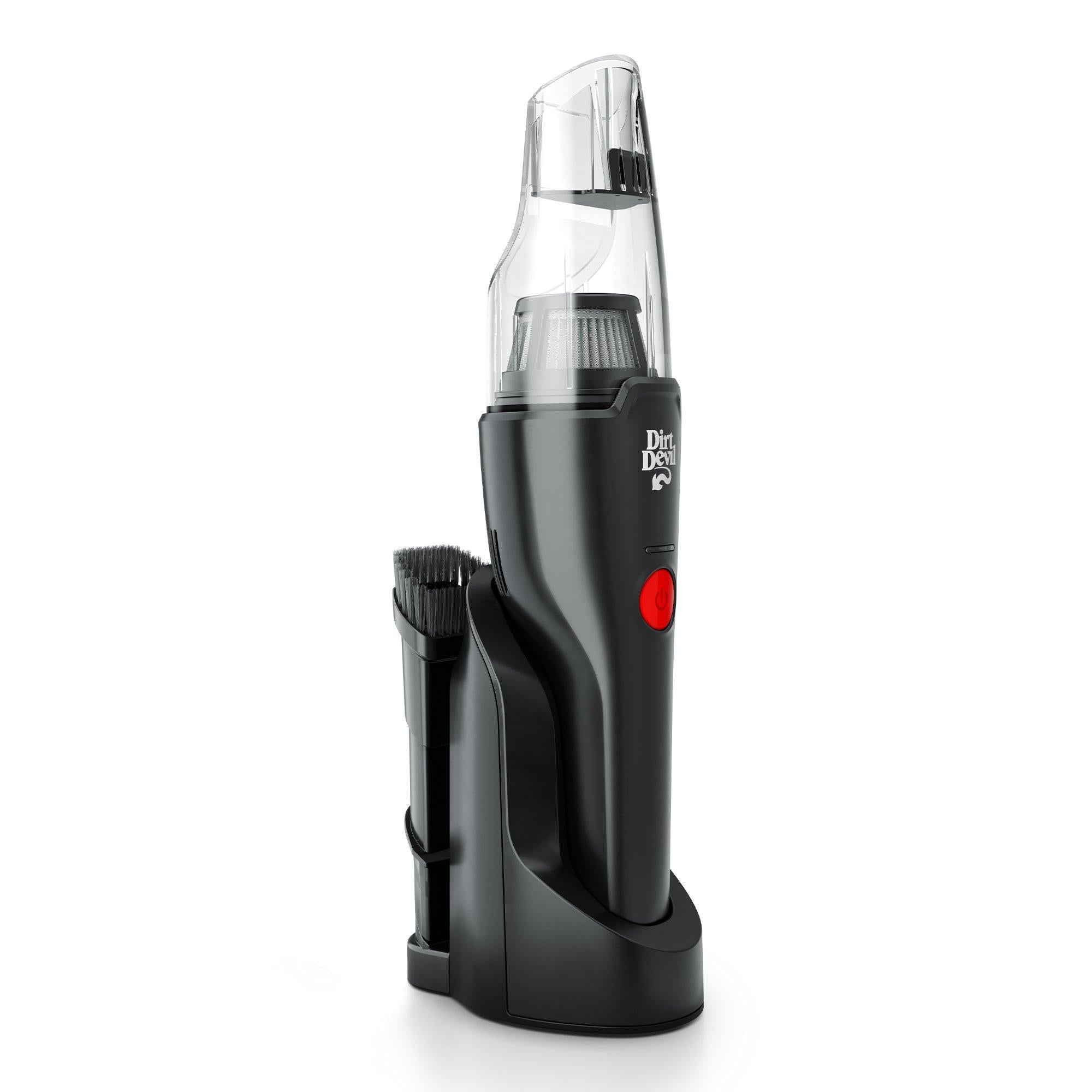
- Handheld Vacuums: Small, portable for quick pick-ups.
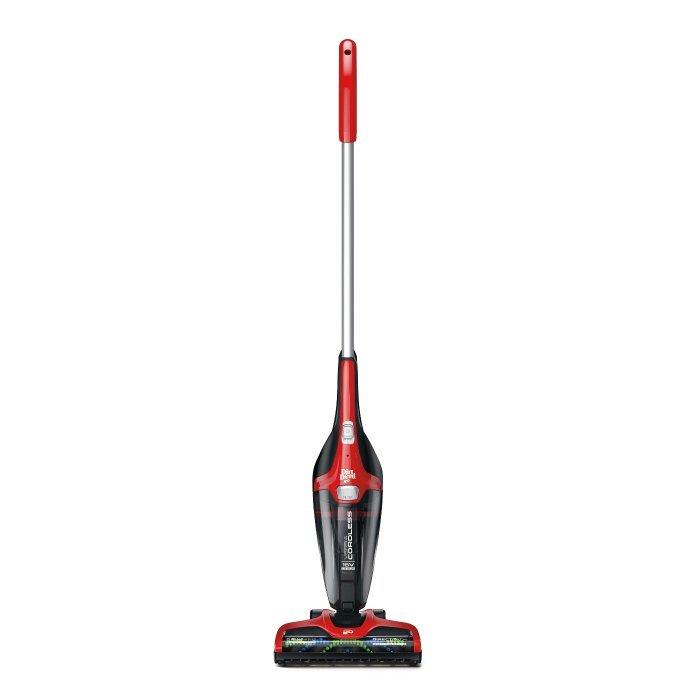
- Stick Vacuums: Slim, lightweight for everyday messes.
- Robotic Vacuums: Automated cleaning at your command.
Finding Your Model Number
Check the vacuum: Look for a label on the back or bottom.
Consult the manual: It always lists the model number.
Visit the website: Use the online support for help.
Preparation Steps
Before tackling the task of emptying your Dirt Devil vacuum, proper preparation is key. This ensures a quick, safe, and efficient process. Follow these simple steps to get ready.
Gathering Necessary Tools
Make sure you have everything needed to empty your vacuum. Gather these items:
- Gloves to keep your hands clean
- A trash bag for disposal
- Scissors to cut away tangled hair or fibers
- Brush to clean the filter
Safety Precautions
Your safety comes first. Follow these precautions:
- Turn off and unplug the vacuum
- Work in a well-ventilated area
- Wear a dust mask if you’re sensitive to dust
Emptying Bagged Dirt Devil Vacuums
Maintaining a Dirt Devil vacuum is key for peak performance. Regularly emptying the bag is essential. Here’s a simple guide to emptying bagged models.
Locating The Bag Compartment
Find the bag compartment on your vacuum. It’s usually at the front. Look for a latch or button to open it.
Proper Removal Of The Vacuum Bag
Gently pull the tab to remove the bag. Avoid spilling dust by keeping the bag upright.
- Turn off and unplug the vacuum first.
- Hold the bag’s cardboard collar when removing.
- Seal the bag if it has a shutter mechanism.
Dispose of the bag in a trash can. Replace with a new bag before vacuuming again.
Emptying Bagless Dirt Devil Vacuums
Bagless Dirt Devil vacuums make cleanup a breeze. No bags mean less fuss. Regular emptying keeps your vacuum in top shape. Here’s a quick guide on how to empty your vacuum effectively.
Detaching The Dirt Cup
First, turn off and unplug your vacuum. Safety comes first. Find the release button for the dirt cup. It’s usually located near the cup itself.
Press the button to detach the cup. Hold the cup over a trash bin. This is to avoid spillage.
Disposing Of The Dirt
With the dirt cup over the bin, open the bottom lid. Some models have a lever or button for this. The dirt should fall right out.
- Tap gently to remove remaining debris.
- Check for trapped hair or particles.
After emptying, rinse the cup if needed. Let it dry before reattaching. This will prevent mold and odor.
Cleaning The Filters
Keeping your Dirt Devil vacuum in top shape involves regular filter maintenance. Clean filters ensure optimal performance and longevity. Let’s dive into the types of filters your vacuum might have and the steps to clean them properly.
Types Of Filters In Your Dirt Devil
Dirt Devil vacuums typically feature two filter types. Standard filters trap everyday dust and debris. HEPA filters catch finer particles, improving air quality.
Cleaning Steps
Follow these steps to clean your vacuum’s filters:
- Turn off and unplug your vacuum.
- Remove the filter compartment cover.
- Take out the filters. Note the order for reassembly.
- Gently tap the standard filter to remove loose dirt.
- For washable filters, rinse under cold water. Avoid using soap.
- Let filters air-dry completely. This may take up to 24 hours.
- Replace the filters and cover once dry. Ensure everything fits snugly.
Regular filter maintenance helps your Dirt Devil vacuum perform better and last longer.
Reassembling Your Vacuum
Once your Dirt Devil vacuum is empty, reassembling it is simple. Follow these steps to ensure your vacuum runs smoothly. Proper assembly maintains suction power and vacuum performance.
Placing The Dirt Cup Or Bag Back
Start by locating the dirt cup or bag. This is where all the dust and debris go. If you’ve just emptied it, make sure it’s clean before putting it back.
- Align the bottom of the cup or bag with the vacuum base.
- Slide it up into position until it clicks.
For bagged models, hook the bag onto its holder first. Then, press the bag into place, ensuring it’s secure.
Ensuring Everything Is Secure
It’s crucial that all parts lock in tightly. Loose parts can cause loss of suction or even damage the vacuum.
- Check the dirt cup or bag is locked in.
- Confirm the lid or cover snaps shut firmly.
- Inspect seals and gaskets for any wear.
Always double-check that the components are secure. This guarantees peak performance and longevity of your vacuum.
Troubleshooting Common Issues
Vacuums simplify cleaning, but they need troubleshooting sometimes.
Dirt Devil vacuums are no exception.
When The Vacuum Won’t Open
Opening a vacuum should be straightforward.
Stuck latches can prevent this.
Follow these steps:
- Turn off and unplug the vacuum.
- Press the release button firmly.
- Gently wiggle the container to loosen.
Check for any obstructions.
Call customer service if the issue persists.
Solving Clogging Problems
Clogs affect vacuum performance.
Regularly check for blockages.
| Location | Action |
|---|---|
| Hose | Detach and inspect. |
| Brush roll | Remove debris. |
| Filter | Clean or replace. |
Always refer to the manual for specific instructions.
Use a tool to dislodge stubborn clogs.
Maintaining Your Dirt Devil Vacuum
Maintaining your Dirt Devil Vacuum is key to its performance. A clean vacuum works better and lasts longer. Follow these steps to keep it in top shape.
Regular Cleaning Schedule
Keeping a regular cleaning schedule is essential. Dirt and debris can clog your vacuum, making it less efficient. Here’s a simple guide:
- Weekly: Empty the dirt cup. Wipe the vacuum’s exterior.
- Monthly: Clean the filters. Check for blockages in the hose.
- Every 3 months: Inspect the belt. Replace if worn or broken.
Sticking to this schedule ensures your vacuum runs smoothly.
Replacing Parts When Necessary
Sometimes, parts need replacing to maintain performance. Here are signs:
| Part | Signs it Needs Replacing |
|---|---|
| Filter | Looks dirty after cleaning, has holes, or emits bad odors. |
| Belt | Stretched, broken, or the vacuum isn’t picking up well. |
| Brush Roll | Bristles worn down or it doesn’t spin freely. |
Replace these parts to keep your vacuum running like new.
Tips For Efficient Vacuuming
Tips for Efficient Vacuuming can make cleaning with your Dirt Devil vacuum quicker and more effective. Proper technique ensures a clean home and extends your vacuum’s life.
Optimizing Your Vacuuming Routine
- Plan Your Path: Start from the farthest corner and work towards the exit.
- Empty Beforehand: Ensure the vacuum is empty for max suction power.
- Regular Schedule: Vacuum twice a week to prevent dirt buildup.
- Right Attachments: Use the correct tools for different surfaces.
- Quick Maintenance: Check for clogs and clean filters often.
Avoiding Common Mistakes
- Don’t Rush: Slow passes pick up more dirt.
- Check Bag/Container: A full vacuum reduces efficiency.
- Avoid Overfilling: Empty the vacuum before it reaches ‘Full’.
- Ignore Height Settings: Adjust for different floor types.
- Skip Edges: Use crevice tools for corners and baseboards.
Environmental Considerations
Environmental Considerations play a crucial role in maintaining our planet’s health. Properly emptying and disposing of your Dirt Devil vacuum waste is not only about cleanliness but also about eco-friendliness. Let’s dive into how you can contribute to a greener Earth while taking care of your vacuum’s waste.
Proper Disposal Of Vacuum Waste
Emptying your Dirt Devil vacuum the right way is vital. Follow these steps:
- Turn off and unplug your vacuum.
- Remove the dust bin or bag carefully.
- Empty the bin into a trash bag.
- For vacuums with bags, use a sealed bag for disposal.
Remember, some materials like sharp objects or hazardous waste need special attention. Check local guidelines for these items.
Recycling Vacuum Parts
Recycling parts of your Dirt Devil vacuum can reduce waste. Here’s how:
- Identify recyclable parts: filters, metal pieces, and plastic components.
- Find a local recycling center that accepts these items.
- Contact the manufacturer for recycling programs.
By recycling, you help reduce landfill waste and support a sustainable environment.

Advanced Care For Longevity
Keeping your Dirt Devil vacuum in top shape is key. Advanced Care for Longevity ensures it runs smoothly for years. This part of our guide dives into deeper cleaning techniques and the importance of professional maintenance.
Deep Cleaning Your Vacuum
Regular deep cleaning boosts your vacuum’s life. Follow these steps:
- Unplug the vacuum to ensure safety.
- Empty the dust bin over a trash can.
- Remove and wash the filter under cold water. Let it dry completely before putting it back.
- Clean the brush roll. Snip away tangled hair and debris.
- Wipe the vacuum’s exterior with a damp cloth.
Seeking Professional Maintenance
Sometimes, vacuums need a pro’s touch. Consider these points:
- Seek professional help once a year.
- Choose a certified service center for your Dirt Devil.
- A pro can spot issues you might miss.
- They can replace worn-out parts correctly.
- Professional maintenance can prevent costly repairs later.
Following these steps will keep your Dirt Devil vacuum healthy and efficient. It ensures longevity and top performance.
Faqs On Emptying Dirt Devil Vacuums
Have questions on how to empty your Dirt Devil vacuum? You’re not alone. This section covers the most asked questions with expert advice. Let’s dive into the specifics to keep your vacuum running efficiently.
Addressing Common Queries
Emptying your Dirt Devil vacuum can raise questions. Here, we address the most common ones to help you.
- When should I empty my vacuum? – Empty after each use.
- Can I wash the dirt cup? – Yes, wash with warm, soapy water.
- Should I replace the filter? – Check the manual; replace as advised.
Expert Advice
Follow these expert tips for a clean, efficient vacuum.
- Turn off and unplug before emptying.
- Hold over a trash bin to reduce mess.
- Clean filters regularly for best performance.
Maintenance extends your vacuum’s life. Keep your Dirt Devil in top shape with regular cleaning.
Frequently Asked Questions
How To Open A Dirt Devil Vacuum?
To open a Dirt Devil vacuum, locate the release button or latch on the vacuum’s body. Press or slide it to unlock the compartment. This simple action gives you access to the vacuum’s interior for maintenance or cleaning. Always ensure the vacuum is unplugged before opening it.
How To Empty Dirt In Devil Power Swerve?
To empty the Devil Power Swerve dirt cup, press the release button, detach the cup, hold it over a trash bin, and open the bottom lid to dispose of the contents.
How To Remove Dirt From A Devil Vacuum Bag?
Turn off and unplug the vacuum. Open the compartment to access the bag. Carefully remove the bag, avoiding spills. Empty the contents into a trash bin. Reattach or replace the bag securely.
How Do You Get Dirt Out Of A Vacuum?
To clean dirt from a vacuum, first, unplug it. Empty the canister or replace the bag, then clean the filters. Check for clogs in the hose and remove debris.
How To Open Dirt Devil Vacuum Canister?
To open the Dirt Devil vacuum canister, press the release button or latch typically located near the top or bottom of the canister, depending on the model.
Conclusion
Keeping your Dirt Devil vacuum in peak condition is simple with these steps. Embrace a cleaner living space by regularly emptying your unit. Remember, a tidy vacuum means a spotless home. So, follow this guide to ensure your Dirt Devil is always ready for action.
Here’s to effortless cleaning!