
To fix a Shark Vacuum, first consult the user manual for troubleshooting tips. Ensure the vacuum is unplugged before performing any maintenance.
A well-maintained Shark Vacuum is crucial for peak performance in household cleaning. Regular upkeep not only extends the lifespan of your vacuum but also ensures it operates efficiently. Over time, vacuums can encounter issues ranging from loss of suction to mechanical malfunctions.
Tackling common problems typically involves checking for blockages, cleaning filters, and verifying that belts and brushes are in good condition. Timely repairs and preventive care can save you from the frustration of a malfunctioning vacuum and the expense of unnecessary replacements. Empower yourself with the know-how to diagnose issues quickly and handle basic repairs with confidence.
Symptoms Of Vacuum Malfunctions
Knowing when your Shark vacuum isn’t performing its best is key to a clean home. Recognize these signs for a quick fix.
Loss Of Suction
A drop in suction strength is a telltale sign. Be sure to:
- Check filters for clogs.
- Empty the dust cup.
- Inspect for blockages in hoses.
Unusual Noises
When a Shark vacuum starts to make strange sounds, action is needed. Listen for:
- High-pitched whistling noises.
- Rattling or grinding sounds.
These could indicate blockages or a belt issue.
Overheating Issues
If your vacuum shuts off unexpectedly, it may be overheating. Regular checks are important.
| Check For | Action to Take |
|---|---|
| Dirty Filters | Clean or replace. |
| Full Dust Cup | Empty the cup. |
| Airflow Blockage | Remove debris. |
Safety First: Preparation Measures
Dealing with appliance repairs can be tricky, but safety always comes first. Before starting any repair work on a Shark vacuum, taking the right precautionary steps is essential. These measures ensure a smooth and safe repair process. Let’s walk through the initial steps one should take to prepare for fixing a Shark vacuum.
Unplugging Your Vacuum
It is crucial to disconnect your Shark vacuum from all power sources. This step prevents any risk of electrical shock and should never be skipped. Simply pull the plug out from the electrical outlet before beginning any work on your vacuum cleaner.
Gathering Necessary Tools
Once your vacuum is safe to handle, gather the tools needed for the repair. Different issues may require different tools such as:
- Screwdrivers (Phillips or flat-head depending on the screws of your model)
- A set of pliers
- Replacement parts, if needed, like filters or belts
Having these tools ready beforehand will make the job easier and more efficient.
Creating A Safe Workspace
Choose a well-lit and spacious area for the repair. A clear work surface is ideal for laying out parts and tools. Make sure the space is free from moisture and away from any distractions. This organized setting will help you focus on fixing your Shark vacuum and avoid misplacing any parts.
Common Issues: Quick Fixes
Introduction to Common Issues: Quick Fixes
Frustrated with your Shark vacuum? You’re not alone. Sometimes, vacuums develop minor hiccups. But don’t fret! Many common issues are simple to fix. Keep reading for easy solutions to get your vacuum back in action.
Empty the Dust Cup
Empty The Dust Cup
A full dust cup can reduce suction. Here’s how to fix this:
- Turn off your vacuum.
- Detach the dust cup.
- Empty the dust into a trash bin.
- Reattach the dust cup securely.
Regular emptying maintains optimal performance.
Unclog the Hose
Unclog The Hose
Blockages in the hose impact suction. To unclog:
- Disconnect the hose.
- Look through it towards light to find obstructions.
- Remove debris with a long object.
- Reattach the hose firmly.
This ensures uninterrupted airflow.
Refresh the Filters
Refresh The Filters
Dirty filters can reduce suction. Here’s a quick refresh:
- Remove the filters gently.
- Rinse under cool water until clear.
- Air-dry for 24 hours.
- Replace the filters.
Clean filters help keep your vacuum running smoothly.
Brush Roll Problems And Solutions
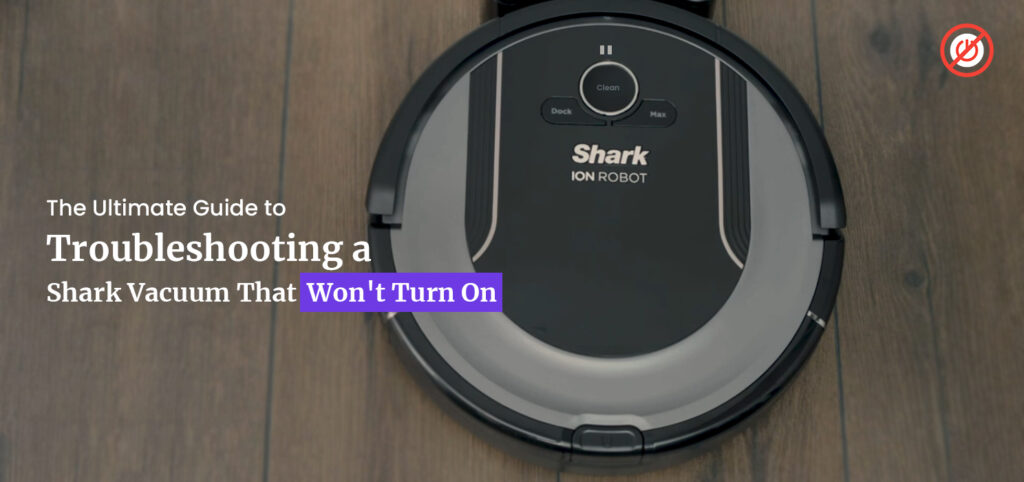
Encountering brush roll problems with your Shark Vacuum? You’re not alone. Brush rolls are critical for effective vacuuming, as they agitate the dirt for easier pick-up. A malfunctioning brush roll can mean poor performance and frustration. But don’t worry! Let’s solve those brush roll woes with some troubleshooting.
Cleaning The Brush Roll
A clogged brush roll impairs your Shark Vacuum’s efficiency. Over time, hair, fibers, and debris accumulate around it.
Steps to clean it:
- Turn off and unplug your vacuum.
- Remove the brush roll following the user manual.
- Using scissors, carefully cut away tangled hair and threads.
- Wipe the brush roll with a damp cloth.
- Allow it to dry completely before reassembling.
Checking For Blockages
Blockages can prevent the brush roll from spinning. A visual inspection can reveal the culprit.
To check and clear blockages:
- Inspect the brush roll area and the adjacent air path.
- Remove any debris that might hinder brush roll movement.
- Check for blockages in the nozzle and hose.
- Carefully remove the obstructions if found.
Replacing A Worn-out Brush Roll
Brush rolls suffer from wear and tear, demanding replacements for optimal performance.
- Signs you need a new brush roll:
- Visible bristle wear
- Damage to the roll itself
Replacement steps:
- Buy a Shark-certified replacement roll.
- Follow your model’s guide to replace the brush roll.
- Test the vacuum to ensure the new roll functions correctly.
Motor And Suction Matters
Encountering problems with your Shark Vacuum? Motor and Suction Matters can often be the root cause. A vacuum that won’t start or has poor suction can leave your floors unclean. Fear not! Fixing these issues might be simpler than you think. Let’s explore how to get your vacuum running like new.
Resetting The Motor Thermostat
Your Shark Vacuum is smart. It has a built-in motor thermostat that may trip to prevent overheating. Here’s a quick way to reset it:
- Turn off and unplug your vacuum.
- Wait 45 minutes for the vacuum to cool down.
- After the wait, plug it back in and press the power button.
If the vacuum starts again, the motor thermostat reset was successful!
Inspecting The Suction Motor
The suction motor is your vacuum’s powerhouse. Listen for odd noises or decreased suction which suggest a problem. Here’s what to do:
- Remove blockages that might be hindering the motor’s performance.
- Check the motor’s air vents for any obstructions.
- Consult your vacuum’s manual before attempting to look inside the motor.
Solving Air Flow Restrictions
Restricted airflow reduces suction power. Follow these steps for a remedy:
- Empty the dust cup after each use.
- Clean all filters regularly. Rinse under tap water until the water runs clear.
- Check the vacuum’s hose, wand, and attachments for blockages.
In most cases, a simple cleaning can restore your vacuum’s airflow.
Battery-powered Vacuum Specifics
Managing a Shark vacuum with battery power? Learn how to boost battery life and fix charging issues with these practical tips. Proper battery care means longer vacuum life and uninterrupted cleaning power.
Maximizing Battery Performance
Getting the best from your Shark vacuum’s battery is crucial.
- Always use the official charger.
- Charge fully before first use.
- Keep the battery cool and dry.
Remember, a well-maintained battery ensures peak performance and longevity.
Troubleshooting Charging Issues
Encounter a charging snag? Don’t fret.
- Check the charging port and cable for damage.
- Ensure the outlet is functioning properly.
- Look for the indicator light’s signal during charging.
These steps can quickly get your vacuum back in action.
When To Replace The Battery
Not all issues can be fixed; sometimes a new battery is needed.
| Sign | Action |
|---|---|
| Reduced run time | Consider battery replacement |
| No charge retention | Time for a new battery |
Regular checks and timely replacements keep your vacuum reliable.
Filter Maintenance 101
Keep your Shark vacuum running like new with proper filter care! Clean filters ensure your vacuum functions efficiently. Learn the ins and outs of filter maintenance right here.
When To Clean Filters
Cleaning your vacuum’s filters is as crucial as the vacuuming itself. Check your filters monthly. Clean them if you notice visible dirt, or after every three months, whichever comes first.
Steps For Washing Filters
- Turn off and unplug your Shark vacuum.
- Remove the filters. Refer to the manual if unsure.
- Gently tap filters over a trash bin to remove loose debris.
- Rinse filters under cold water until the water runs clear.
- Let filters air-dry completely, for at least 24 hours.
- Once dry, reinstall the filters in your vacuum.
Important: Do not use soap. Avoid washing HEPA filters unless manual states otherwise.
Signs A Filter Needs Replacement
- Persistent bad odors after cleaning filters.
- Noticeable decrease in suction power.
- Filters with damage or wear.
- Regular maintenance doesn’t improve performance.
If you spot these signs, consider buying new filters. Always choose genuine Shark replacements to maintain peak performance.

Navigating Electrical Complications
Electrical issues in Shark vacuums can seem daunting at first. But with the right approach, you can solve them easily. You might face problems like the vacuum not turning on or intermittent power. A faulty power cord or a dysfunctional switch could be the culprit. This guide walks you through the steps to diagnose and fix these issues.
Troubleshooting Power Cords
A damaged power cord is a common source of electrical issues. Follow these steps:
- Unplug your vacuum.
- Check the entire length of the cord for damage.
- Look for cuts, fraying, or kinks.
If you find damage, replace the cord. Never use electrical tape as a permanent fix.
Testing The On/off Switch
- Turn off and unplug your vacuum.
- Remove the cover to access the switch.
- Test the switch with a multimeter.
A reading that changes from infinity to zero indicates a working switch. A switch that doesn’t change needs replacement.
When To Seek Professional Help
Some electrical issues need expert hands. Notice these signs:
- Strange noises or smells from the vacuum.
- Repeated failure of power cords or switches.
- Short-circuit or sparks visible during use.
Contact Shark Customer Service or a licensed electrician. Do not attempt to fix these problems on your own.
Preventative Care For Longevity
Love your Shark vacuum and it will love you back, maintaining its cleaning superpowers. Just like any trusty sidekick, your vacuum needs a bit of TLC to keep it in top shape. Let’s dive into how regular preventative care can extend the life of your beloved Shark vacuum cleaner.
Routine Maintenance Schedule
To avoid unexpected breakdowns, follow a routine maintenance schedule. Regular upkeep ensures your vacuum runs efficiently.
| Task | Frequency |
|---|---|
| Empty the dust cup | After each use |
| Clean filters | Every month |
| Inspect for clogs | Every 3 months |
| Check brushes and belts | Every 6 months |
Proper Storage Practices
Proper storage is key to preventing damage. Always store your Shark vacuum in a cool, dry place. Wrap the cord loosely to prevent kinks and strains. Keep it away from sharp objects that might damage the hose.
Avoiding Common Misuses
Be kind to your vacuum and avoid these common misuses:
- Don’t vacuum large objects that can cause clogs.
- Avoid sucking up liquids; it’s not a wet vac!
- Never pull on the cord to disconnect it from the wall.
- Use the right settings for the right surfaces.
Dealing With Noise Reduction
Hose And Nozzle Nuances
Understanding Error Messages
Your Shark vacuum cleaner is smart. It tells you when something is wrong. But what do these messages mean? This guide helps you understand what your vacuum is saying so you can fix it quickly and get back to cleaning.
Interpreting Vacuum Codes
Most Shark vacuums have a display panel. This panel shows codes when there’s a problem. Codes like “E02” or “F1” can be confusing. Look up these codes in the manual or online. They tell you the type of error your vacuum has. Below are common codes and what they mean:
| Code | Meaning |
|---|---|
| E02 | Blocked brush roll |
| F1 | Filtration system issue |
Make sure to check your model’s specific codes. They may be different. Use the manual for the best understanding.
Resetting Error Alerts
Once you fix an issue, you need to reset the error. For many Shark vacuums, you do this by turning off the vacuum. Wait a few seconds. Turn it back on. For other models, you may need to press a specific combination of buttons. Checking the manual is best. Follow the reset instructions closely for your model.
If the error persists, try unplugging the vacuum for 30 minutes. This can reset the system. Then, plug it back in and turn it on. The error should be gone.
Software Vs. Hardware Errors
Different errors need different fixes. Some errors are software-related. Others are about the vacuum’s parts, which are called hardware errors. Understanding the difference is important.
- Software errors might happen after an update. These can often be fixed with a reset.
- Hardware errors are about the vacuum’s parts. Like a tangled brush or a clogged filter. Fixing these might need you to open the vacuum. Be careful and use the manual.
Knowing whether a problem is software or hardware helps you find the best way to fix it. This can save you time and get your Shark vacuum running smoothly again.
Troubleshooting Suction Control
If your Shark vacuum isn’t picking up dirt like before, it might be a suction issue. Don’t worry, it’s usually an easy fix! Follow these steps to get your vacuum up and running again.
Adjusting Suction Settings
First, check your Shark vacuum’s suction settings. Some models have adjustable suction designed for different surfaces. Make sure the setting matches the type of floor you’re cleaning:
- High for carpets
- Low for hardwood
Locate the suction control on your vacuum. It could be a dial, slider, or button. Adjust it and test the suction on a piece of paper. The vacuum should hold the paper firmly.
Inspecting Suction Seals
Next, inspect the suction seals. These seals are crucial for strong suction. Look for any that are loose or damaged:
| Location | Check For |
| Hose connection | Gaps or looseness |
| Dust canister | Proper seal |
Replace any faulty seals. You can often find replacements on Shark’s website or at a vacuum repair shop.
Balance Between Suction And Brush Roll
A balanced Shark vacuum performs best. Too much suction without proper brush roll action won’t clean effectively. Here’s what to do:
- Turn off and unplug the vacuum before inspecting.
- Remove any debris from the brush roll.
- Check the brush roll for wear or damage.
- Press the brush roll button to see if it spins.
If the brush roll is faulty, replace it. A working brush roll complements the suction for optimal cleaning.
When To Replace Parts Or Vacuum
Fixing a Shark vacuum can bring it back to life. Yet, sometimes repair isn’t the best option.
Knowing when to switch out parts or get a new vacuum is essential.
Frequently, a simple fix will do. Other times, it’s a sign to move on.
Identifying End-of-life Signs
Vacuums don’t last forever. Signs indicate it’s time to consider replacing parts or the whole unit.
- Loss of suction
- Strange noises
- Burnt smells
- Consistent clogging
- Worn or damaged parts
If these problems persist, investing in new parts or a vacuum could be the smart move.
Comparing Repair Vs. Replacement Costs
| Repair Cost | Replacement Cost |
|---|---|
| Filters, belts, batteries | New Shark Vacuum Model |
| Minor fixes under warranty | Latest features and technology |
| Professional servicing fees | Long-term investment benefits |
Compare costs to make a wise choice. Often, a new vacuum is more cost-effective.
Selecting A New Vacuum Model
When it’s time for a new vacuum, finding the right model matters.
- Assess home cleaning needs.
- Check Shark’s latest range.
- Look for improved suction, filters, and attachments.
- Consider user reviews and ratings.
- Factor in the price point.
Choose a model that fits the lifestyle and cleaning habits.
Frequently Asked Questions Of How To Fix A Shark Vacuum
Why Did My Shark Vacuum Suddenly Stop Working?
Your Shark vacuum may stop working due to a clogged filter, full dustbin, or battery issues. Check for blockages, empty the dustbin, and ensure the battery is charged. If problems persist, consult the user manual or contact customer support.
Why Is My Shark Suction Not Working?
Your Shark vacuum’s suction might not work due to a clogged filter, full dust bin, blocked hose, or a malfunctioning motor. Check and clean filters, empty the dust bin, and inspect the hose for blockages to restore suction power.
Can A Shark Vacuum Cleaner Be Repaired?
Yes, Shark vacuum cleaners can be repaired. Contact customer service or visit an authorized service center for assistance.
Why Is My Shark Vacuum Not Spinning?
Your Shark vacuum’s brush roll may not spin due to hair entanglement, belt issues, or motor malfunctions. Check for blockages and ensure the power switch is on the proper setting. If problems persist, consult the user manual or contact Shark customer service.
Why Is My Shark Vacuum Not Working?
Your Shark Vacuum may be experiencing issues due to a clogged filter, full dust cup, or a tangled brush roll. Ensure that all parts are clean and clear.
How Do I Unclog A Shark Vacuum?
Turn off and unplug the vacuum, then remove obstructions from the hose, air passageways, and brush roll carefully to avoid damaging your Shark Vacuum.
Conclusion
Tackling Shark vacuum issues doesn’t have to be daunting. We’ve outlined the steps to ensure your cleaner operates smoothly. Regular maintenance and timely fixes can breathe new life into your appliance. Keep your Shark vacuum healthy with these handy tips, and enjoy a dust-free, clean home.