
Ensuring your Roomba cleans the entire house can be a puzzle. You want spotless floors without missing any spots.
Imagine pressing a button and your little robotic helper whisks away to tidy up every nook and cranny of your home. The dream of effortless cleaning is within reach, but it may require some know-how to turn it into reality.
Roombas are nifty gadgets that promise to keep your floors clean with minimal effort on your part. Yet, getting them to clean your whole house might not be as straightforward as you’d hope. Some strategic planning and a few tweaks to your Roomba’s settings can make all the difference. This guide will walk you through the steps to ensure your robotic vacuum doesn’t skip a beat—or a spot. We’ll cover the essentials of Roomba placement, scheduling, and maintenance, so you can sit back and enjoy a consistently clean home. Keep reading to learn how to make your Roomba work smarter for a spotless living space.
Introduction To Robotic Vacuum Cleaners
Imagine floors clean without lifting a finger. Robotic vacuum cleaners make this real. These smart machines offer a hands-off approach to cleaning. They navigate homes with ease and adapt to different surfaces. Roomba, a popular brand, leads in smart home cleaning tech.
The Rise Of Smart Home Cleaning
Smart vacuums have changed home cleaning. No more manual vacuums. Roombas map your home and clean every corner. They work on carpets, hardwood, and tiles. Schedule them or start them with a button. Your home stays clean with minimal effort.
Benefits Of Using A Roomba
Roombas save time and effort. They clean under furniture and around clutter. With sensors, they avoid stairs and obstacles. Battery life lets them clean large areas. They even dock and recharge themselves. Trust Roomba for a dust-free and tidy home.
Getting Started With Your Roomba
Welcome to the exciting journey of making your Roomba work for you. This section, “Getting Started with Your Roomba,” walks you through the initial steps. Let’s ensure your device is ready to clean your whole house efficiently.
Unboxing And Initial Setup
Open the Roomba box carefully. Inside, you find the Roomba, a charging base, and a manual. Place the Roomba on the floor. Find a spot for the charging base. It needs space. Plug the charging base into a wall outlet. Put the Roomba on the charging base.
Charging Your Device For The First Time
Charging is key. Place the Roomba on its base until it lights up. This means it’s charging. The first charge takes a few hours. Wait until the Roomba tells you it’s ready. Now, your Roomba is set to clean your house.
Optimizing Your Home For Roomba Cleaning
Clean homes now sparkle with less effort. Roomba vacuums offer a modern cleaning touch. To ensure a thorough clean, homes must be Roomba-ready. This guide helps you optimize your space for the best Roomba performance.
Decluttering Floors and SpacesDecluttering Floors And Spaces
Keep floors clear for the Roomba to navigate with ease. Items like toys, clothes, or wires can hinder its path. Here’s a simple decluttering plan:
- Pick up small objects off the floor.
- Secure wires or cords against walls or under furniture.
- Clear under furniture spaces for better access.
Setting Up Virtual Walls
Virtual walls guide your Roomba through cleaning sessions. They block off areas you don’t want cleaned. Follow these steps:
- Place the virtual wall device where needed.
- Adjust the width of the blocked area.
- Turn on the virtual wall when starting a clean.
Roomba now cleans without entering off-limit spaces.
Programming Your Roomba For Efficient Cleaning
For a spotless home, programming your Roomba is key. A well-set Roomba saves time and cleans every nook. Read on to learn how.
Using the Roomba AppUsing The Roomba App
The Roomba app is your cleaning command center. It’s easy to use. Here’s a quick guide:
- Download the app from your phone’s store.
- Follow the setup to connect your Roomba.
- Access features like custom cleaning preferences.
With the app, you can also view cleaning history and maintenance tips.
Scheduling Cleanings for Optimal ResultsScheduling Cleanings For Optimal Results
Schedule your Roomba for regular cleaning. This ensures a clean home with minimal effort.
| Day | Time | Area |
|---|---|---|
| Monday | 9 AM | Living Room |
| Wednesday | 9 AM | Bedrooms |
| Friday | 9 AM | Kitchen |
Adjust the schedule to fit your lifestyle and home needs.
Navigational Features Of Roomba
Getting your Roomba to clean the whole house might seem tricky. Yet, its navigational features make it quite simple. Let’s dive into how Roomba knows where to go and what to clean.
Understanding Iadapt Technology
Roomba uses iAdapt technology to navigate your home. This system allows Roomba to sense its surroundings. It helps Roomba avoid obstacles and drop-offs. Think of iAdapt as Roomba’s eyes and brain working together.
- Roomba maps out rooms before cleaning.
- It avoids stairs and ledges.
- Roomba moves around furniture and toys.
Utilizing Roomba’s Mapping Capabilities
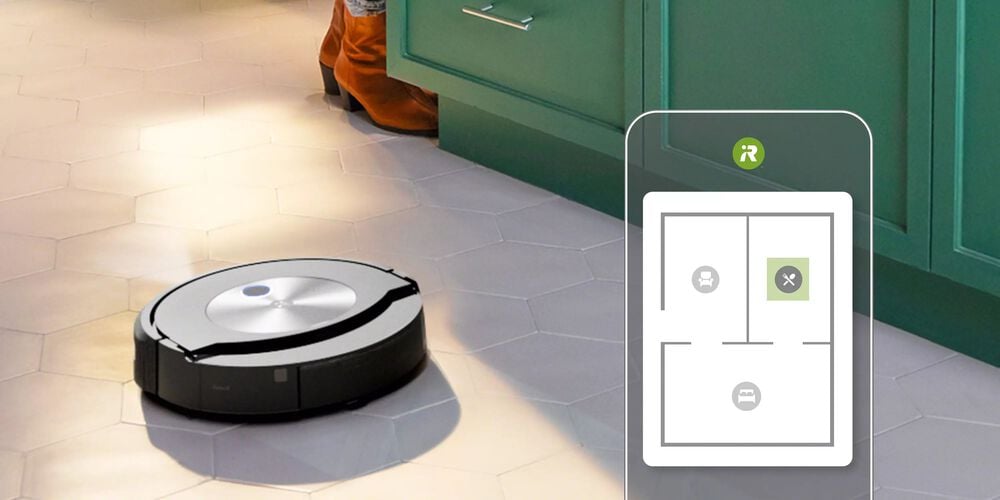
Roomba’s mapping capabilities take cleaning to the next level. With these features, Roomba remembers your home’s layout. This memory helps Roomba clean more efficiently each time.
- First, let Roomba explore your home.
- Roomba creates a map during this exploration.
- Use the Roomba app to see and adjust this map.
By understanding and using these features, your Roomba can effectively clean your whole house. No spot gets left behind.
Maintaining Your Roomba For Longevity
Keeping a Roomba in top shape means it cleans better and lasts longer. Regular maintenance can save money and ensure a clean home. In this section, we’ll focus on how to maintain your Roomba for longevity.
Regular Cleaning Of Brushes And Filters
Regular cleaning keeps your Roomba efficient. Dust and debris can clog the brushes and filters. This affects performance.
- Remove and clean brushes weekly
- Tap filters to remove dust
- Replace filters every two months
Brushes may need more frequent cleaning in homes with pets.
Troubleshooting Common Issues
Roombas are sturdy, but issues can arise. Simple troubleshooting can fix common problems.
| Issue | Solution |
|---|---|
| Roomba not charging | Clean charging contacts |
| Roomba stops suddenly | Check for tangled brushes |
| Roomba not starting | Ensure the battery is correctly installed |
Consult the manual or support for other issues.
Advanced Roomba Features To Enhance Cleaning
Your Roomba works hard to keep your floors spotless. But did you know it can do even more? Let’s dive into some advanced features that can help your Roomba clean your entire house more effectively.
Using Dual Mode Virtual Wall Barriers
Dual Mode Virtual Wall Barriers control where your Roomba cleans. These barriers create invisible lines that Roomba won’t cross. It’s perfect for keeping Roomba out of rooms full of toys or away from pet bowls.
- Set to Virtual Wall mode to block openings up to 10 feet.
- Switch to Halo Mode to protect items on the floor.
Leveraging Roomba’s Full Bin Indicator
The Full Bin Indicator tells you when Roomba’s bin is full. You won’t have to guess when to empty it anymore. This feature ensures Roomba always has room to pick up more dirt and debris.
| Roomba Model | Indicator Light |
|---|---|
| Series 600/700 | Single-color light |
| Series 800 and above | Multi-color light |
Remember to check the indicator often for a seamless cleaning experience.
Maximizing Roomba’s Battery Life
Maximizing Roomba’s battery life is key for a clean home. A full charge means more ground covered. Let’s dive into how to keep your Roomba going longer.
Proper Charging Practices
First, always use the original charger. It’s made for your Roomba. Place the docking station in a cool, dry area. Heat and moisture are bad for the battery. After each cleaning cycle, let Roomba return to its dock. This keeps it charged.
Battery Maintenance Tips
Keep your Roomba’s battery in top shape. Clean the brushes regularly. This reduces the load on the battery. Store Roomba in a cool, dry place when not in use. Extreme temperatures harm the battery. Finally, recalibrate the battery every few months. Run Roomba until the battery is empty, then charge it fully. This helps maintain battery health.
Integrating Roomba With Smart Home Systems
Smart homes and robotic vacuums are a perfect match. With a Roomba, cleaning becomes a hands-off chore. Let’s connect Roomba to your smart home systems and simplify your life.
Connecting With Voice Assistants
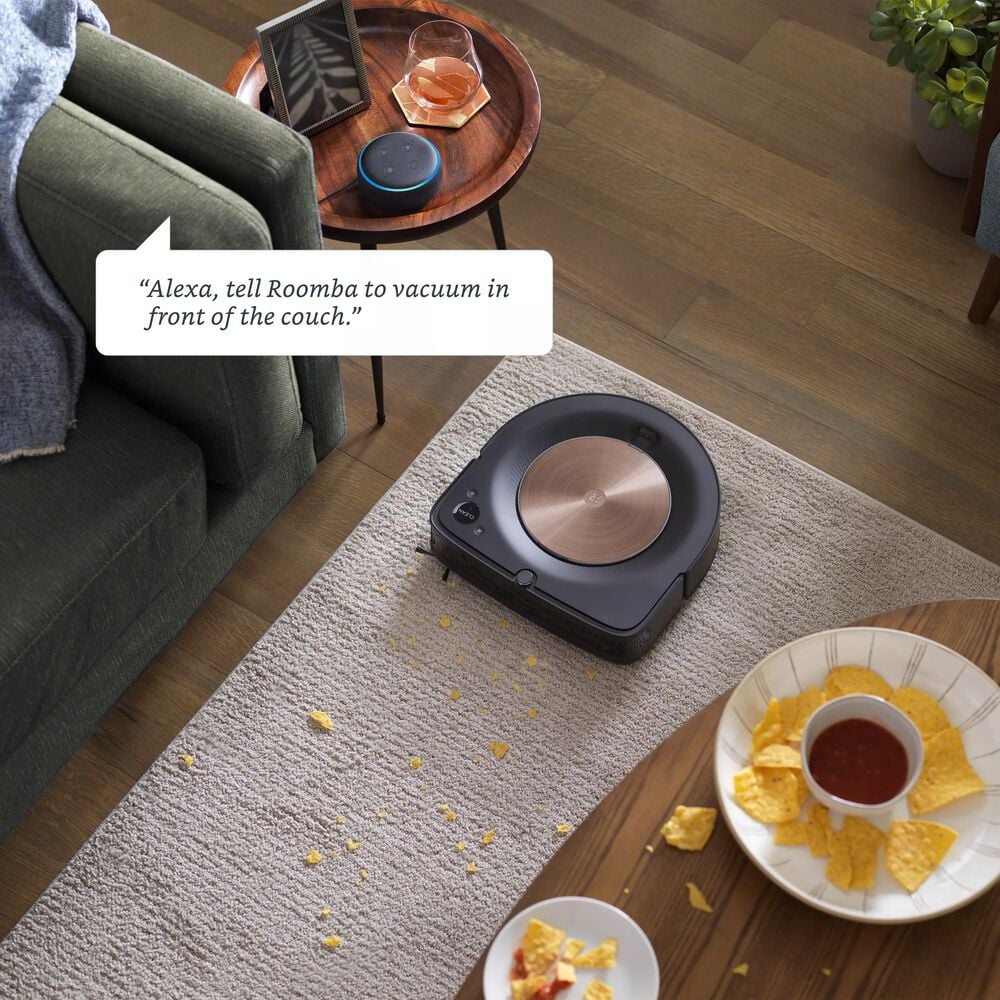
Pair your Roomba with voice assistants like Alexa or Google Home. Just say the word and your Roomba starts cleaning. Follow these steps to set it up:
- Open the voice assistant app on your phone.
- Find the ‘Skills’ or ‘Home Control’ section.
- Search for ‘iRobot’ and enable the skill.
- Link your iRobot account with the voice assistant.
Now, try commands like “Start cleaning” or “Dock Roomba”.
Creating Smart Cleaning Routines
Make cleaning schedules with your smart home app. Your Roomba can work around your life. Here’s how:
- Open your smart home app.
- Go to the ‘Automation’ or ‘Routine’ section.
- Create a new routine and select your Roomba.
- Set times for cleaning. Choose days or events like “When I leave home”.
Enjoy a clean home without lifting a finger. Your Roomba follows your schedule.

Conclusion: Embracing The Future Of Home Cleaning
The future of home cleaning shines bright with the Roomba. Let’s explore how this smart device changes lives and what comes next in smart cleaning.
The Impact Of Roomba On Daily Life
Clean floors are now a daily reality, thanks to Roomba. No more sweeping every day. This smart vacuum does it all. Families now enjoy more free time. They trust Roomba to keep their homes dust-free. It’s a relief for many, giving back hours each week.
Looking Ahead: The Evolution Of Smart Cleaning
Smart cleaning is just beginning. Roomba is leading the charge. Future updates promise even smarter devices. They’ll learn layouts faster and adapt to changes. Expect them to tackle more than just floors. Whole home cleaning is on the horizon. We’ll soon see robots that dust, mop, and maybe more.
Frequently Asked Questions
Can Roomba Vacuum The Entire House?
Yes, Roomba can vacuum an entire house. Ensure it’s fully charged and the floor plan is updated in its memory. Program it to clean systematically, covering all accessible areas.
How To Ensure Roomba Covers Every Room?
To ensure coverage, keep doors open, remove obstacles, and use Roomba’s virtual wall barriers to guide it through each room methodically. Regular maintenance improves its efficiency.
What If Roomba Misses A Spot?
If Roomba misses a spot, check for navigational barriers. You may also manually place it in the missed area or use the spot cleaning mode for focused cleaning.
How Long Does Roomba Take To Clean A House?
The time Roomba takes depends on the house size and layout. On average, it can take anywhere from an hour to three hours for a complete cycle.
Conclusion
Ensuring your Roomba cleans the entire house is simple. Follow the setup steps. Place it correctly. Schedule regular cleanings. Keep your space clutter-free for best results. With these tips, your Roomba becomes a reliable cleaning partner. Enjoy a consistently clean home with minimal effort.
Trust your smart helper to keep your floors spotless. Ready for a cleaner home? Let Roomba do the work. Your clean house awaits!